
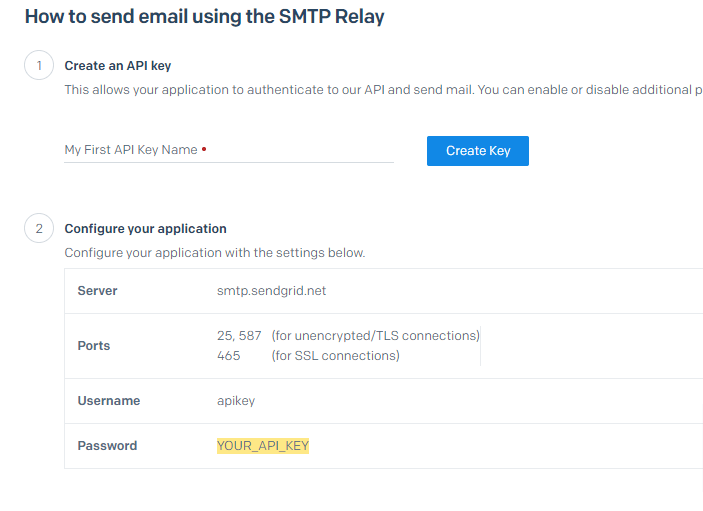
Setting up your SMTP Relay using Sendgrid API Keys
This particular issue comes up frequently now as most modern email services providers are clamping down on standard password-authenticated SMTP relays.
For example, Sendgrid used to allow you to use a userID to authenticate and send emails through your Sendgrid account. That is all but disabled now, but luckily there is a new method you can use.
Using Send Grid APi Keys with CS-Cart
Yo next enter in your Sendgrid information into your CS-Cart Admin area and if you are not already using SMTP you will need to change your current “method of sending emails” selection to “via SMTP server”. This will change the method your shopping cart uses to send emails from either PHPMailer or Sendmail.
At the time of this writing encryption should be set to TLS and use port 587 to connect.

After you hit save you should get a success message. If you do not, you will need to check what you entered in CS-Cart against what you see in Sendgrid. If you are running your own VPS or dedicated server, you should check that port 587 is open and accepting outbound connections. Port 587 should be open by default no most shared hosting systems, however you should check your server configuration if you are managing your own server.



